
ChatHub
Social



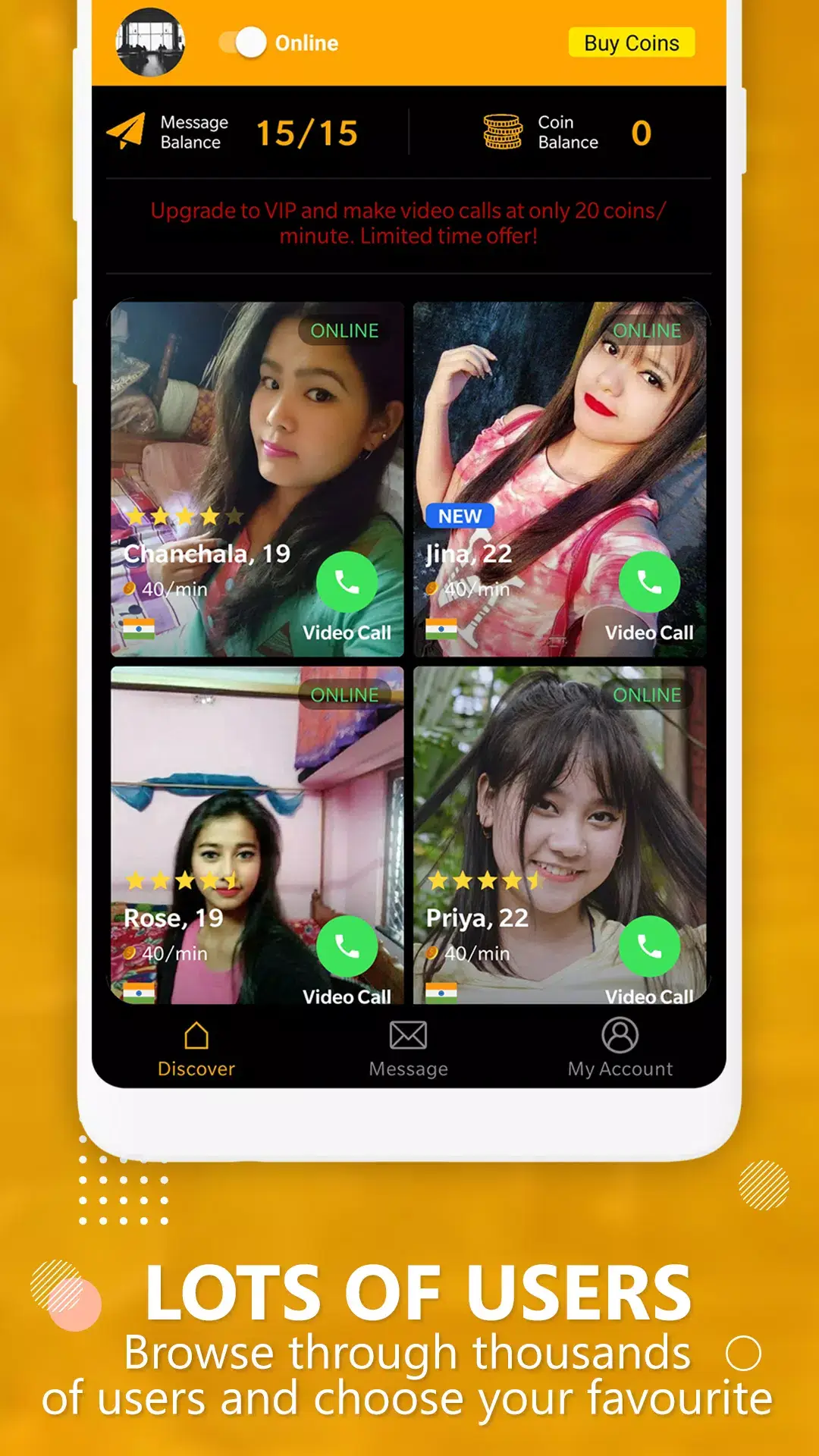


ChatHub is an Android application that lets you join random video and text chats with strangers from around the globe. It works similarly to classic random‑chat services, pairing you with another user for a brief conversation.
After the shutdown of the well‑known Omegle platform, many users have been searching for a reliable mobile alternative. ChatHub fills that gap by offering quick, on‑the‑go matching without the need for a web browser.
This page provides the latest APK download, a step‑by‑step installation guide, compatibility details, safety advice, and a quick comparison with other popular random‑chat apps.
Quick Information
| App/Game Name | ChatHub |
| Latest Version | 1.2.7 |
| Developer | Not listed |
| Category | Apps / Social |
| App Size | 136.78 MB |
| Package Name | com.chathub.video.livechat |
| Last Updated | 16 January 2026 |
What Is ChatHub?
ChatHub connects you to random strangers through video, audio, or text chat. Core features include:
- Instant random matching with a single tap.
- Basic filters for gender and age preferences.
- Switch between video, audio‑only, or text‑only modes.
- In‑app reporting and blocking to help manage inappropriate behavior.
The app is aimed at people who want spontaneous conversations, language practice, or simply a way to meet new people without creating a permanent account. It does not store a friend list, and sessions end when either party disconnects. An internet connection is required, and because the service is random, content can vary widely.
Compatibility
| Android Version | Not Verified |
| Architecture (ARM64 / 32-bit) | ✓ Verified — Supports common device architectures |
| Internet Connection | ✓ Verified — May be required for ads, updates, or login |
| Storage Needed | Not Verified |
| OBB/Data Files | Not Verified |
| Root Required | Not Verified |
How to Install
- Open your device’s Settings, go to Security (or Privacy) and enable Install unknown apps for the browser or file manager you will use.
- Download the ChatHub APK file to your device.
- Locate the downloaded file in your file manager and tap it.
- Press Install and wait for the process to finish.
- When the installation is complete, open the app and grant camera, microphone, and storage permissions as requested.
Troubleshooting
- App not installed: Verify that the APK is complete (no download interruption) and that you have enabled installation from unknown sources.
- Crashes on startup: Clear the app’s cache (Settings → Apps → ChatHub → Storage) or reinstall the APK.
- No video/audio: Ensure you have granted camera and microphone permissions and that your internet connection is stable.
- Random matching fails: The service relies on external servers; try again later if the servers are down.
- Login or social sign‑in problems: ChatHub does not require a permanent account, but if you use a third‑party sign‑in, double‑check your credentials.
Safety & Security
ChatHub is a modified (non‑official) APK, so it’s important to download it from a reputable source. Review the permissions it requests—camera, microphone, and storage are expected for video chat, but be cautious of any additional permissions. Avoid sharing personal details with strangers, as random‑chat platforms can expose you to unpredictable content. Keep the app updated; newer builds may contain security patches, but updates can also break existing MOD modifications.
How ChatHub Compares
| Feature | ChatHub | Omegle | Chatroulette | Tinychat |
|---|---|---|---|---|
| Price / Free model | Free with ads | Free with ads | Free with ads | Free with ads (premium option) |
| Platform availability | Android app | Web only | Web & mobile app | Web & Android/iOS apps |
| Standout feature | Quick one‑tap random video match on mobile | Long‑standing brand, simple text/video chat | Live video roulette with optional filters | Group video rooms with persistent usernames |
| Best for | Mobile users seeking instant random chats | Desktop users preferring a quick web interface | People who enjoy fast video roulette on any device | Users who want group video rooms and community features |
Alternatives
- Chatroulette – A well‑known random video chat service available on web and mobile, offering gender filters and a simple interface.
- Tinychat – Focuses on group video rooms and lets users create persistent usernames, suitable for longer conversations.
- Azar – Mobile‑first video chat app that matches users based on interests and location, with translation features.
Final Verdict
ChatHub provides a straightforward way to meet strangers via video or text on Android devices. It’s best for users who want a quick, on‑the‑go random chat without creating an account. Because it’s an unofficial build, verify the source, watch the permissions it asks for, and be prepared for occasional server downtime. If you prefer a more established service or need group chat capabilities, consider the alternatives listed above.
Frequently Asked Questions
ChatHub works like any random‑chat app; it requests camera, microphone, and storage permissions. Download it from a trusted source and avoid sharing personal information with strangers.
The latest release is version 1.2.7, updated on 16 January 2026.
ChatHub runs on Android 5.0 (Lollipop) and newer, though performance improves on recent versions.
No additional OBB or data files are required; the APK contains everything needed.
Make sure you have enabled installation from unknown sources, that the APK downloaded completely, and that there is enough free storage on your device.
If you already have a previous version, the installer will usually replace it automatically. You may need to uninstall the old version first if you encounter issues.
Older versions are not listed here; you would need to search reputable archives if you specifically need a previous build.